
If your budget currently lives in three places, your bank app, a half-finished spreadsheet, and the back of your mind, you are in very normal company. Personal budgeting sounds simple until real life starts moving: bills arrive on different days, subscriptions renew quietly, grocery prices shift, and one surprise car repair can make a neat plan feel useless by Thursday.
That is where ChatGPT-5 can be a practical helper. It will not replace your judgment, your bank, a tax professional, or a licensed financial advisor. But it can help you organize messy information, ask better money questions, compare budget options, create simple charts, and turn a vague goal like “save more” into a weekly routine you can actually follow. Think of it as a patient budgeting assistant that can explain things in plain English and help you keep momentum.
OpenAI describes GPT-5 as its smartest and most useful model yet, with stronger performance in areas that include math, finance, writing, and problem solving. ChatGPT can also analyze uploaded files, create tables and charts, and help organize related chats and files through Projects, depending on your plan and account settings. For personal budgeting, those abilities matter because the hard part is rarely one calculation. The hard part is making sense of your own patterns and deciding what to do next.
Why ChatGPT-5 Can Help With Personal Budgeting
A good budget answers three questions: What money is coming in, where is it going, and what should change? ChatGPT-5 is useful because it can help you move from scattered details to a clear picture. You can paste a cleaned-up list of monthly expenses, upload a spreadsheet export, or describe your situation conversationally. Then you can ask for a summary, a category breakdown, or a first draft of a budget.
For example, instead of staring at a list of transactions and wondering why the month felt tight, you can ask ChatGPT-5 to group spending into categories such as housing, groceries, transportation, debt payments, subscriptions, restaurants, savings, and irregular expenses. You can also ask it to flag categories that look high compared with your stated goals. That does not mean every suggestion will be perfect. It means you get a starting point much faster than doing everything by hand.
Another advantage is tone. Budgeting can feel personal, and many people avoid it because they expect to feel judged. ChatGPT-5 can be prompted to respond like a friendly coach: practical, calm, and realistic. That matters. A budget you resent will usually collapse. A budget that respects your real life has a fighting chance.
Step 1: Gather Your Numbers Without Oversharing
Before you ask ChatGPT-5 for budgeting help, collect the basics: monthly take-home income, fixed bills, minimum debt payments, average grocery spending, transportation costs, subscriptions, savings contributions, and any upcoming expenses. If you use a spreadsheet or banking export, remove anything you do not need to share. Do not paste account numbers, Social Security numbers, full addresses, login details, or anything else that could create unnecessary risk.
A simple table is enough. Create columns for date, merchant, amount, and category if you already know the category. If your export is messy, ask ChatGPT-5 to suggest cleaner category names or identify duplicate subscriptions. OpenAI’s data analysis guidance recommends clear column headers and one record per row for best results when uploading structured data. That advice is perfect for budgeting because clean inputs lead to cleaner summaries.
- Good to share: “Rent, ,450,” “Internet, ,” “Groceries, ,” or an anonymized CSV of transactions.
- Do not share: bank login credentials, full account numbers, tax IDs, or photos of sensitive documents unless absolutely necessary and appropriate.
- Smart privacy move: use rounded numbers when exact cents do not matter, and delete columns that are irrelevant to the budgeting question.
You may also want to review ChatGPT’s data controls, memory settings, and Temporary Chat option. OpenAI says Temporary Chats do not appear in your history and are not used to improve models, though they may be retained briefly for safety purposes. That does not make every budgeting conversation risk-free, but it gives you more control over how you work.
Step 2: Ask ChatGPT-5 to Build a Budget You Can Live With
Once your numbers are ready, ask ChatGPT-5 for a first draft. Be specific about your goals and constraints. A budget for a single parent paying down a credit card should not look like a budget for a college student saving for a used car. The more context you provide, the more useful the response becomes.
Here is a starter prompt you can copy:
I want help creating a realistic monthly budget. My take-home income is . My fixed bills are: ____. My average variable expenses are: ____. My debts are: ____. My main goals are: ____. Please categorize my expenses, calculate what is left after essentials, suggest a budget, and explain the tradeoffs in plain English. Do not assume I can cut everything fun to zero.
That last sentence is important. Many budget plans fail because they are mathematically tidy and emotionally impossible. If you enjoy one coffee out each week or a modest streaming subscription, your plan should decide those things intentionally instead of pretending you will become a totally different person next month.
You can also ask for different budget styles. Try “make this a zero-based budget,” “use a 50/30/20 framework if it fits,” or “prioritize paying off high-interest debt while keeping a small emergency fund.” Then ask ChatGPT-5 to compare the options. Which one leaves the most breathing room? Which one pays debt fastest? Which one is easiest to maintain if income varies?
Step 3: Use ChatGPT-5 to Find Leaks, Patterns, and Quick Wins
After the first draft, the real value comes from asking follow-up questions. ChatGPT-5 can help you look for spending leaks without turning the process into a guilt session. Ask it to identify recurring charges, months where spending spikes, categories that deserve a weekly cap, or expenses that could be negotiated.
- “Which expenses are fixed, flexible, or optional?”
- “What are three realistic ways to free up per month?”
- “Find subscriptions or repeating charges in this list.”
- “Create a simple chart showing my spending by category.”
- “If I put an extra per month toward debt, how might my payoff timeline change?”
Be sure to verify the math. AI can make mistakes, and financial decisions deserve a second look. Ask ChatGPT-5 to show its calculations line by line, then compare the totals with your bank account, credit card statement, or spreadsheet formulas. If the numbers do not match, ask it to recalculate from the original table.
This is also a good time to ask for visual summaries. OpenAI’s help center notes that ChatGPT can create tables and charts when a structured view is useful. For budgeting, a bar chart of category spending or a simple month-by-month savings projection can make the situation click faster than a wall of numbers.
Step 4: Turn the Budget Into Weekly Habits
The best personal budget is not the most impressive spreadsheet. It is the one you keep using. Ask ChatGPT-5 to translate your monthly plan into weekly check-ins. For example, if your grocery budget is , ask for a weekly target and a mid-month review plan. If your goal is to build a ,000 emergency fund, ask for a calendar of small transfers that line up with paydays.
If you use ChatGPT Projects, you can create a dedicated project for your budget, keep related chats together, and add instructions such as “use a supportive tone,” “prioritize debt payoff,” or “always separate fixed bills from flexible spending.” Projects can help keep budgeting conversations organized so you are not starting from scratch every time.
A helpful weekly review prompt looks like this:
Here is my spending so far this month. Compare it with my monthly budget, tell me which categories are on track, and suggest two small adjustments for the next seven days. Be encouraging but honest.
That kind of prompt turns budgeting into a conversation instead of a once-a-month reckoning. You are not waiting for the end of the month to discover a problem. You are catching it while there is still time to adjust.
Practical Prompt Ideas for Everyday Money Decisions
Here are a few more prompts that work well for average households:
- “Help me create a bare-bones budget for a tight month, but keep it realistic.”
- “Compare these two choices: paying extra toward debt versus increasing emergency savings.”
- “Make a grocery plan for this week using simple meals and pantry basics.”
- “Rewrite my budget categories so they are easier to track in a spreadsheet.”
- “Create a sinking fund plan for car repairs, gifts, holidays, and annual bills.”
- “Explain my budget to me like a coach, not a banker.”
The secret is to treat ChatGPT-5 as a thinking partner, not a magic answer machine. Give it context, ask for options, request the math, and then make the final decision yourself. Your money has real consequences, so your judgment stays in charge.
A Simple ChatGPT-5 Budgeting Workflow
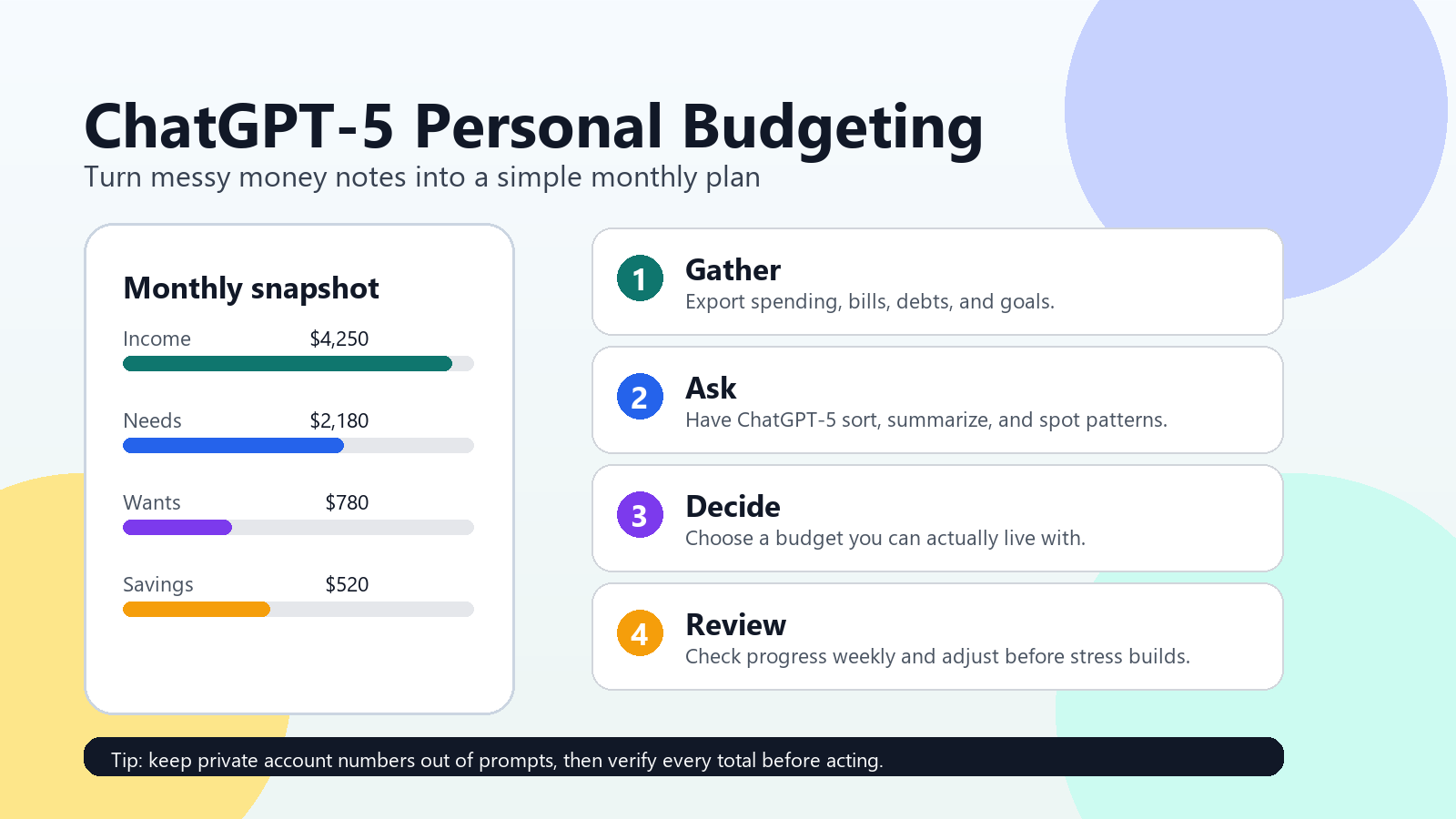
If you want a repeatable system, use this four-part workflow once a month:
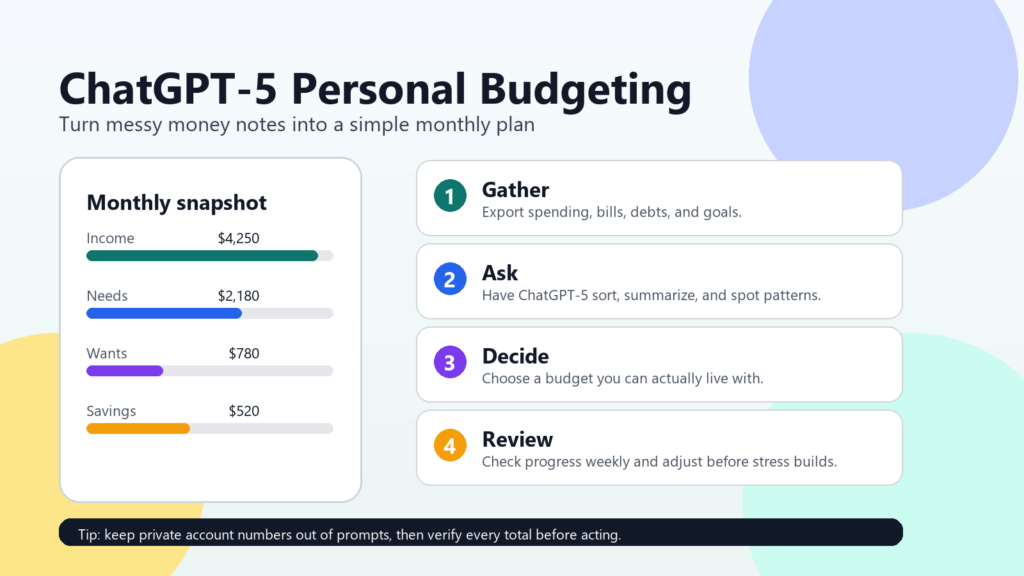
- Gather: export or write down income, bills, debts, subscriptions, and recent spending.
- Clean: remove private details and organize the data into clear categories.
- Plan: ask ChatGPT-5 for a realistic budget, tradeoffs, and a weekly version of the plan.
- Review: check progress weekly, verify the math, and adjust before the month gets away from you.
Personal budgeting is not about being perfect. It is about seeing what is happening sooner, making fewer decisions under stress, and giving your future self a little more room. Used carefully, ChatGPT-5 can make that process less intimidating and more consistent. Start small: one month of expenses, one goal, one weekly review. That is enough to begin.
For more practical money ideas, browse the Budgeting / Personal Finance section. If you are curious about the bigger picture around AI adoption and public attitudes, read How People Feel About AI Today.