
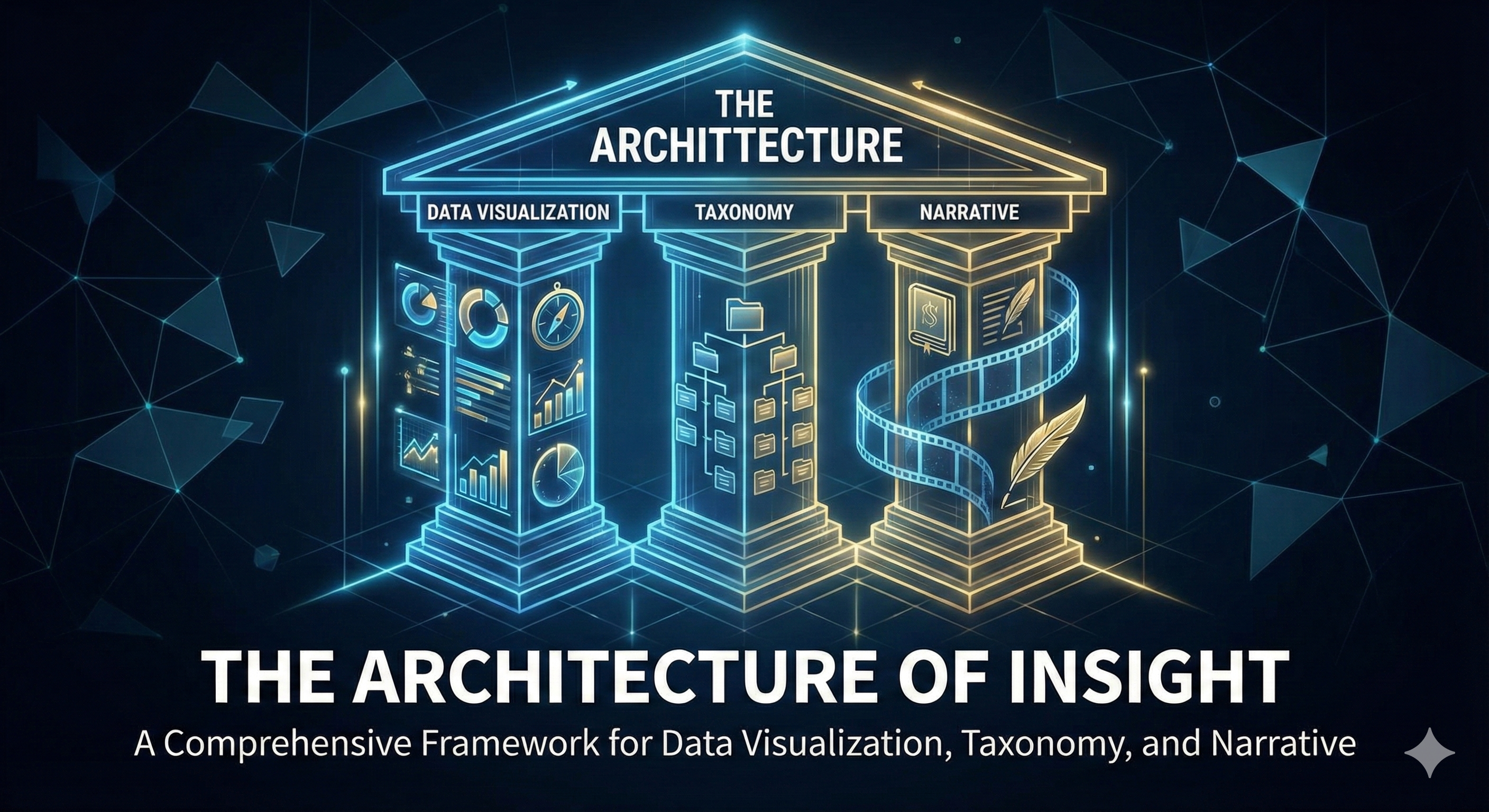
1. Introduction: The Cognitive Science of Visualization
Data visualization is frequently misunderstood as a purely aesthetic exercise or a final “coat of paint” applied to the rigors of statistical analysis. However, a deep examination of the field reveals it to be a sophisticated cognitive technology—a bridge between the abstract, numerical representation of the world and the pattern-matching capabilities of the human brain. At its core, visualization is the encoding of magnitude and relationship into visual variables such as position, length, angle, area, and hue. The efficacy of this translation is not a matter of artistic preference but of adherence to the biological limitations and strengths of human perception.
The human visual cortex is evolutionarily tuned to detect contrast and pattern. This capability, known as preattentive processing, allows observers to identify outliers, clusters, and trends within milliseconds, long before conscious attention is engaged.1 When a data visualization leverages these preattentive attributes effectively—for example, by using color intensity to represent heat or spatial position to represent performance—it reduces the “cognitive load” required to understand the information. Conversely, poor visualization design, which creates “chart junk” or misuses visual metaphors (such as using 3D volume to represent linear data), actively inhibits understanding by forcing the brain to decode the visual puzzle before it can access the underlying data.2
In the contemporary data landscape, where the volume of information generation far outstrips human processing capacity, visualization has evolved from a descriptive tool into a primary medium for reasoning. It serves three distinct functions: exploration (finding the unknown), analysis (confirming the known), and communication (persuading the audience). Each function requires a distinct architectural approach, governed by the taxonomy of the data itself and the narrative structure required to convey the insight.
This report provides an exhaustive analysis of the data visualization ecosystem. It traverses the theoretical foundations of measurement scales, the rigorous taxonomy of chart selection, the technical implementation in modern programming frameworks (Python, R, and JavaScript), and the strategic application of narrative structures—such as those employed by data journalism pioneers like The Pudding—to drive decision-making. Furthermore, it examines the critical distinctions between strategic and operational dashboards, ensuring that visual artifacts are tailored to the specific cognitive needs of their audience, from the C-suite executive to the front-line analyst.
2. The Taxonomy of Data: Measurement Scales and Visual Implications
The foundational step in any visualization architecture is the rigorous assessment of the data’s nature. Data is not a monolith; it exists on a spectrum of measurement scales, each possessing specific mathematical properties that dictate which visual encodings are permissible and which are misleading. The framework for this assessment is the hierarchy of measurement scales: Nominal, Ordinal, Interval, and Ratio.4 Misidentifying the data type is the most common source of visualization error, leading to charts that imply relationships that do not exist or obscure those that do.
2.1. Nominal Data (Categorical)
Nominal data represents the most basic level of measurement, consisting of distinct categories or labels with no inherent order, ranking, or quantitative value. The term “nominal” is derived from the Latin nomen (name), indicating that these variables are simply labels used for classification.
- Characteristics: Nominal categories are mutually exclusive and collectively exhaustive within their domain. Mathematical operations are impossible; one cannot subtract “Category A” from “Category B.” The only measure of central tendency applicable to nominal data is the mode (the most frequent category).4
- Examples: Common examples include gender, city of birth, ethnicity, car brands, or blood types. In a dataset, these might appear as strings (“New York,” “London”) or coded integers (0, 1), but the integers have no numerical significance.6
- Visual Implications: The primary goal when visualizing nominal data is to show distinctness.
- Encoding: The most effective encoding is Spatial Position (separating items) or Hue (distinct colors).
- Constraint: It is a critical error to use a sequential color gradient (e.g., light blue to dark blue) for nominal data, as this implies a ranking or intensity that does not exist. Instead, categorical color palettes with distinct, high-contrast hues should be used to allow for easy differentiation.8
- Sorting: Since there is no inherent order, nominal data in bar charts should almost always be sorted by frequency (value) to facilitate comparison, or alphabetically if used as a lookup mechanism.9
2.2. Ordinal Data (Ranked)
Ordinal data introduces the concept of order or rank among categories. While a clear hierarchy exists, the intervals (distances) between the ranks are unknown, inconsistent, or mathematically undefined.
- Characteristics: Ordinal data allows for logical ordering (greater than/less than comparisons) but prohibits arithmetic operations like addition or averaging. For example, the difference between “Satisfied” and “Neutral” is not necessarily the same quantitative “distance” as between “Neutral” and “Dissatisfied.” The median and percentile are the appropriate statistics, whereas the mean is often statistically invalid, though frequently misused.4
- Examples: Likert scales (Strongly Disagree to Strongly Agree), education levels (High School, Bachelor’s, Master’s), socio-economic status, or seniority levels (Junior, Mid, Senior).7
- Visual Implications: Visualization must preserve the inherent order of the variables.
- Encoding: Sequential color scales are highly effective here, as they reinforce the progression of the data. Diverging color scales (e.g., Red-Grey-Blue) are specifically designed for ordinal data with a neutral midpoint (like sentiment analysis), allowing the viewer to quickly assess positive vs. negative sentiment.5
- Constraint: In a bar chart, ordinal bars must never be sorted by value (frequency); they must be locked to their logical rank (e.g., “Low, Medium, High”) to reveal the distribution shape. Sorting by value destroys the ordinal insight.9
2.3. Interval Data
Interval data possesses ordered categories with known, equal distances between them, but it lacks a true “absolute zero.”
- Characteristics: The intervals between points are meaningful and consistent, allowing for addition and subtraction. However, the absence of a true zero (a point representing the total absence of the variable) means that multiplication and division are invalid. One cannot say that 40°C is “twice as hot” as 20°C because 0°C is an arbitrary point, not the absence of thermal energy.4
- Examples: Temperature in Celsius or Fahrenheit, calendar years (2024 is not “double” 1012), and IQ scores.
- Visual Implications: Interval data supports visualizations that show trends and distributions.
- Encoding: Line charts are the standard for interval data, particularly time-series data, as they emphasize the continuity and rate of change between points. Histograms are also essential for understanding the frequency distribution of interval variables.11
- Constraint: Care must be taken with bar charts. Because bar length implies a ratio comparison (starting from zero), using bars for interval data like temperature can be misleading if the scale does not start at absolute zero (which creates visual distortion) or if the zero point is arbitrary.5
2.4. Ratio Data
Ratio data is the highest level of measurement, possessing all the properties of interval data plus a meaningful, non-arbitrary absolute zero point. This zero point indicates the total absence of the variable.
- Characteristics: Ratio data supports all arithmetic operations, including multiplication and division. It allows for statements like “Revenue A is twice Revenue B.” This is the data type most commonly encountered in business and scientific contexts.6
- Examples: Height, weight, income, sales revenue, distance, age, and duration.
- Visual Implications: This data type supports the widest range of visualizations.
- Encoding: Length (Bar charts), Area (Treemaps, Bubble charts), Angle (Pie charts), and Position (Scatter plots) are all valid.
- Constraint: When visualizing ratio data using length (bars) or area, the axis must start at zero. Truncating the y-axis (e.g., starting at 50 to exaggerate the difference between 52 and 54) is a cardinal sin in ratio data visualization, as it destroys the visual truth of the ratio.6
2.5. Summary of Data Types and Constraints
| Measurement Scale | Order | Distance | True Zero | Permissible Statistics | Recommended Encodings | Visual Constraints |
| Nominal | No | No | No | Mode, Frequency | Hue, Shape, Spatial Position | Do not use sequential color; do not imply rank. |
| Ordinal | Yes | No | No | Median, Percentile | Sequential Color, Position | Maintain logical sort order; do not sort by value. |
| Interval | Yes | Yes | No | Mean, Standard Deviation | Position, Slope (Line), Length | Be cautious with bar length; Line charts preferred for trends. |
| Ratio | Yes | Yes | Yes | Geometric Mean, Coeff. of Variation | Length, Area, Angle, Volume | Axis must start at zero for length/area encodings. |
3. The Architecture of Visualization: Chart Selection Taxonomy
Choosing the correct chart is a function of the data type (as defined above) and the visualization’s objective. Every visualization seeks to answer a specific question, and these questions generally fall into five distinct categories: Comparison, Composition, Distribution, Relationship, and Flow/Hierarchy. A mismatch between the objective and the chart type leads to confusion and misinterpretation.9
3.1. Comparison Visualizations
The most common objective in data analysis is to evaluate values against one another, either across different categories or over time.
- Bar Charts (Column & Horizontal): The bar chart is the workhorse of comparison for categorical (nominal/ordinal) data. Because human perception is most accurate when comparing the length of objects aligned on a common baseline, bar charts offer the highest precision for comparison.13
- Best Practice: Use Horizontal Bar Charts when category labels are long or complex to avoid illegible, tilted text. For nominal data, sort bars by value (descending) to allow for instant identification of the “top” and “bottom” performers. For ordinal data, sort by the inherent hierarchy.9
- Grouped Bar Charts: Useful for comparing sub-groups (e.g., Sales by Region, broken down by Product). However, as the number of groups increases, the cognitive load rises, making grouped bars difficult to read.
- Line Charts: The primary tool for visualizing continuous data over time (Time Series). Unlike bars, which emphasize individual magnitude, lines emphasize the trend, acceleration, and deceleration of data.14
- Constraint: Avoid using line charts for categorical data that is not a time series (e.g., “Apples” connected to “Oranges”), as the connecting line implies a continuity or transitional relationship that does not exist.11
- Slope Charts & Bump Charts: These are specialized forms of line charts designed to show the change in rank or value between two distinct points in time. They are excellent for decluttering “spaghetti charts” where many lines overlap, focusing the viewer strictly on the “start” and “end” states.
3.2. Composition Visualizations
Composition charts illustrate how a whole is divided into its constituent parts, answering questions about “share” or “proportion.”
- Stacked Bar and Area Charts: These are effective for showing the total size of a group while simultaneously breaking down its sub-components.
- Critique: While the bottom segment of a stacked bar is easy to compare (because it shares a common baseline), the middle and top segments are floating. The human eye struggles to compare the lengths of floating bars. Therefore, stacked bars are best when the analysis focuses on the total or the bottom-most category.11
- Pie and Donut Charts: These are perhaps the most controversial charts in visualization. They rely on the evaluation of angle (Pie) or arc length (Donut), which are perceptually difficult tasks for the human brain compared to length or position.
- Best Practice: Use these only when you have fewer than 5 categories and the differences are distinct (e.g., 80% vs 20%). If the segments are similar in size (e.g., 26% vs 24%), a bar chart is objectively superior.2 Never use 3D effects on pie charts, as the perspective distortion makes the front slices appear larger than the rear slices, falsifying the data.2
- Treemaps: Treemaps display hierarchical data using nested rectangles, where the area of each rectangle is proportional to its value. They are excellent for displaying large numbers of categories where space is limited (e.g., stock market sectors or hard drive usage). They allow for the visualization of “patterns within patterns” that would be impossible in a bar chart.12
3.3. Distribution Visualizations
Distribution charts move beyond simple totals to visualize how data is spread across a range, revealing central tendencies (mean, median), skewness, and the presence of outliers.
- Histograms: The fundamental tool for continuous data analysis. Data is “binned” into ranges, and the height of the bar represents the frequency of observations in that range.
- Insight: The choice of bin size is a critical analytical decision. Too few bins (under-smoothing) can hide significant nuances; too many bins (over-smoothing) can introduce noise. Interactive histograms that allow users to adjust bin width are powerful tools for exploration.16
- Box Plots (Box-and-Whisker): A statistical powerhouse that summarizes a distribution using five key statistics: minimum, first quartile (Q1), median, third quartile (Q3), and maximum.
- Utility: Box plots are superior to histograms when comparing distributions across multiple groups simultaneously. While stacking 10 histograms is illegible, placing 10 box plots side-by-side provides an instant comparison of medians and interquartile ranges.18
- Violin Plots: A hybrid visualization that combines a box plot with a kernel density estimation (KDE). The width of the “violin” at any given point represents the probability density of the data at that value. This is useful for detecting multimodal distributions (distributions with more than one peak), which a box plot might hide.15
3.4. Relationship Visualizations
Relationship charts are designed to reveal correlations, clusters, causal links, or outliers between two or more variables.
- Scatter Plots: The standard for bivariate analysis (Variable X vs. Variable Y). They allow for the immediate identification of linear or non-linear relationships.
- Enhancement: A scatter plot can be transformed into a Bubble Chart by mapping a third variable to the size of the point, and even a fourth variable to the color. However, cognitive load increases rapidly with each added variable.11
- Heatmaps: These use color intensity to represent values in a matrix format. They are exceptionally useful for visualizing cross-tabulations, correlation matrices, or temporal patterns (e.g., web traffic by hour of day vs. day of week).19
3.5. Flow and Hierarchy Visualizations
- Sankey Diagrams: These are specialized flow charts where the width of the arrows is proportional to the flow rate. They are invaluable for visualizing energy transfers, budget allocations, or user paths through a website (funnel analysis).12
- Chord Diagrams: These visualize inter-relationships between entities in a circular layout. While aesthetically striking, they can be difficult to read if the number of connections is high, often resulting in a “hairball” effect.
4. Technical Implementation: The Code Ecosystem
The theory of visualization must inevitably be translated into practice. Modern data visualization is implemented primarily through three distinct technical ecosystems: Python (Data Science), R (Statistical Analysis), and JavaScript (Web Development). Each ecosystem has a unique philosophy that influences how charts are constructed.
4.1. Comparative Analysis of Libraries
| Library | Ecosystem | Philosophy | Strengths | Weaknesses |
| Matplotlib | Python | Imperative | Absolute control over every pixel; the foundation of Python viz.22 | Verbose syntax; unattractive defaults; steep learning curve for complex customization.23 |
| Seaborn | Python | Declarative | High-level interface; statistical aggregation built-in; beautiful defaults.18 | Less customizable than Matplotlib; abstraction can hide details.24 |
| ggplot2 | R | Grammar of Graphics | Coherent philosophy (layers); extremely powerful for static analysis.25 | Non-interactive by default; steep syntax curve for beginners unfamiliar with the “Grammar”. |
| Plotly | Python/JS/R | Interactive | Web-ready; hover/zoom defaults; works across languages.26 | Can be heavy for very large datasets; complex JSON structure.27 |
| D3.js | JavaScript | DOM Manipulation | Infinite flexibility; industry standard for bespoke web viz.28 | Extremely steep learning curve; requires building charts from scratch (axes, scales, etc.).29 |
4.2. Code Implementation Scenarios
The following examples demonstrate how to implement three core chart types—Line Chart, Histogram, and Box Plot—across these frameworks, highlighting the syntactic and philosophical differences.
Scenario A: The Line Chart (Time Series Trend)
Objective: Visualize a trend over time with a trend line.
Python (Matplotlib & Seaborn):
Matplotlib requires an “imperative” approach (tell the computer how to draw), whereas Seaborn is “declarative” (tell the computer what to draw).
Python
import matplotlib.pyplot as plt
import seaborn as sns
import pandas as pd
import numpy as np

# Data Preparation
df = pd.DataFrame({
    'Date': pd.date_range(start='1/1/2024', periods=100),
    'Value': np.random.randn(100).cumsum()
})

# Matplotlib (Imperative Style)
plt.figure(figsize=(10, 6))
plt.plot(df, df['Value'], color='blue', linestyle='-')
plt.title("Trend Over Time (Matplotlib)")
plt.xlabel("Date")
plt.ylabel("Value")
plt.show()

# Seaborn (Declarative Style)
# Note: Seaborn handles the semantic mapping and styling automatically
sns.lineplot(data=df, x='Date', y='Value').set_title("Trend Over Time (Seaborn)")
Insight: Seaborn handles the semantic mapping automatically, while Matplotlib requires manual configuration of the figure and axes objects.15
R (ggplot2):
R’s ggplot2 is built on the “Grammar of Graphics,” where a plot is built by stacking layers (data + aesthetics + geometries).
R
library(ggplot2)

# ggplot2 uses the "+" operator to add layers
ggplot(data = df, aes(x = Date, y = Value)) +
  geom_line(color = "steelblue") +
  geom_smooth(method = "loess") + # Automatically calculates and adds a trend line
  labs(title = "Trend Over Time", x = "Date", y = "Value") +
  theme_minimal()
Insight: The power of ggplot2 lies in its modularity. Adding a statistical trend line (geom_smooth) is a single line of code, whereas in Python or D3, this would require calculating the regression manually.21
JavaScript (D3.js v7):
D3.js operates at a much lower level, manipulating the Document Object Model (DOM) directly.
JavaScript
// D3 requires defining scales and appending SVG elements manually
const svg = d3.select("svg"),
    margin = {top: 20, right: 20, bottom: 30, left: 50},
    width = +svg.attr("width") - margin.left - margin.right,
    height = +svg.attr("height") - margin.top - margin.bottom,
    g = svg.append("g").attr("transform", `translate(${margin.left},${margin.top})`);

// Define Scales
const x = d3.scaleTime().rangeRound([0, width]);
const y = d3.scaleLinear().rangeRound([height, 0]);

// Define Line Generator
const line = d3.line()
   .x(d => x(d.date))
   .y(d => y(d.value));

// Append Path
g.append("path")
   .datum(data)
   .attr("fill", "none")
   .attr("stroke", "steelblue")
   .attr("stroke-width", 1.5)
   .attr("d", line); // The 'd' attribute contains the path coordinates
Insight: D3 offers granular control but requires significantly more code. The developer must manually define the coordinate system, axes, and path generation logic.30
Scenario B: The Histogram (Distribution Analysis)
Objective: Visualize the frequency distribution of a numeric variable.
Python (Seaborn):
Python
# Seaborn combines histogram and Kernel Density Estimate (KDE) in one function
sns.histplot(data=df, x="value", kde=True, bins=20, color="teal")
Insight: Seaborn’s histplot normalizes the API, allowing users to switch between frequency counts and probability density easily.15
JavaScript (D3.js Binning):
In D3, creating a histogram involves two distinct steps: mathematical binning and visual rendering.
JavaScript
// 1. Binning the data
const histogram = d3.bin()
   .domain(x.domain())
   .thresholds(x.ticks(20)); // Explicitly requesting ~20 bins

const bins = histogram(data);

// 2. Rendering the bars
svg.selectAll("rect")
   .data(bins)
   .join("rect") // The.join() syntax is the modern D3 v6/v7 standard
   .attr("x", 1)
   .attr("transform", d => `translate(${x(d.x0)}, ${y(d.length)})`)
   .attr("width", d => x(d.x1) - x(d.x0) - 1)
   .attr("height", d => height - y(d.length));
Insight: D3 separates the calculation of bins (d3.bin) from the rendering of rectangles. This architecture allows the developer to inspect the raw bin data before drawing, enabling complex interactions or animations that other libraries cannot support.17
Scenario C: The Box Plot (Statistical Summary)
Objective: Compare distributions across categories with statistical rigor.
Python (Plotly Express):
Plotly is chosen here to demonstrate the value of interactivity in box plots (seeing the outliers).
Python
import plotly.express as px
# Interactive box plot with hover states and jitter
fig = px.box(df, x="Category", y="Value", points="all", title="Distribution by Category")
fig.show()
Insight: Plotly defaults to interactivity. The argument points="all" adds a “jitter” effect, showing the underlying raw data alongside the statistical summary. This increases data transparency, preventing the “hidden data” problem inherent in box plots.32
R (ggplot2):
R
ggplot(mpg, aes(x=class, y=hwy, fill=class)) +
    geom_boxplot(alpha=0.3) +
    geom_jitter(width=0.1, size=1) + # Overlays raw data points on top of the box
    theme_classic() +
    labs(title="Box Plot with Jittered Points")
Insight: In R, adding geom_jitter over geom_boxplot is a standard design pattern to avoid hiding the sample size. If a box plot is created from only 5 data points, the box looks authoritative but is statistically meaningless; the jitter reveals this weakness.33
JavaScript (D3.js):
Building a box plot in D3 is complex because it requires manually calculating the quartiles (Q1, Q3), median, and interquartile range (IQR).
JavaScript
// Manual Statistical Calculation
const sorted = data.sort(d3.ascending);
const q1 = d3.quantile(sorted,.25);
const median = d3.quantile(sorted,.5);
const q3 = d3.quantile(sorted,.75);
const interQuantileRange = q3 - q1;
const min = q1 - 1.5 * interQuantileRange;
const max = q3 + 1.5 * interQuantileRange;

// Rendering would involve drawing individual lines for whiskers and a rect for the box
svg.append("rect")
   .attr("x", x(category) - boxWidth/2)
   .attr("y", y(q3))
   .attr("height", y(q1) - y(q3))
   .attr("width", boxWidth)
   .attr("stroke", "black")
   .style("fill", "#69b3a2");
Insight: Unlike Python or R, D3 does not have a “make boxplot” command (though plugins exist). It requires the developer to be a statistician, implementing the math of the visualization manually.20
5. Narrative Structure: From Data to Story
While taxonomy and code provide the means to visualize, narrative provides the meaning. Data storytelling is the practice of building a compelling narrative around a set of data and its accompanying visualizations to inform a specific audience. It transforms “exploratory” analysis (what the analyst finds) into “explanatory” analysis (what the audience needs to know).1
5.1. The Narrative Arc in Data
Traditional storytelling structures, such as the Freytag Pyramid, apply directly to data visualization. Effective data stories often follow a distinct arc:
- The Hook (Exposition): Establish context. Why does this data matter? What is the baseline? Example: Showing a flat line of historical temperature data before the industrial revolution.
- Rising Action: Introduce the conflict or the change in the variable. Example: Highlighting the sudden spike in anomalies or the divergence between two previously correlated variables.
- The Insight (Climax): The central visualization that reveals the “Aha!” moment. Example: A heatmap showing a clear, undeniable correlation between a specific policy change and an outcome.
- Resolution: Actionable takeaways or future projections.36
5.2. Scrollytelling vs. Steppers
Modern data journalism, exemplified by The Pudding and The New York Times Upshot, utilizes techniques that integrate the reading experience with the data experience.
- Scrollytelling: In this format, the user’s scroll action acts as the primary interaction mechanic. As the user reads text, the background visualization updates—zooming, filtering, or highlighting data points—to match the narrative. This keeps the reader in the “flow” without requiring them to decipher complex dashboard controls.
- The “Martini Glass” Structure: A hybrid structure often used in interactive data stories 37:
- The Stem (Author-Driven): The reader is guided through a tight, linear narrative path (e.g., slide 1, slide 2, slide 3) to establish the context and key insight.
- The Bowl (Reader-Driven): Once the context is set, the interface opens up. The reader is given controls (filters, sliders) to explore the data for themselves and find personal relevance.
5.3. Case Study Analysis: The Pudding
Case Study 1: “Women’s Pockets are Inferior”
This visual essay by The Pudding is a masterclass in using data to validate anecdotal experience. The team measured 80 pairs of blue jeans to quantify the size disparity between men’s and women’s pockets.
- Narrative Structure (The V-Shape): The story follows a symmetrical “V-shape.” It starts broad (visualizing all jeans), narrows down to a specific, relatable pain point (can a smartphone fit?), and broadens back out to the industry implications and the “sad wall of pockets” that failed.
- Design Choice: They utilized a scrollytelling overlay. As the user scrolls, the pockets on the screen animate to overlay standard objects (a hand, a wallet, a phone). This animation provides immediate, visceral verification of the data: the user sees the phone failing to fit.
- Impact: By blending rigorous data collection with a relatable cultural narrative, they transformed a trivial complaint into a data-backed sociological critique of fashion industry standards.38
Case Study 2: “The United States of Abortion Mazes”
This project uses procedural generation as a narrative metaphor. To illustrate the difficulty of accessing reproductive care, the authors built a maze for each US state.
- Data-Driven Metaphor: The complexity of each maze is not random; it is calculated based on 28 state-level data points (laws, distance to clinics, waiting periods). A state with strict bans generates a labyrinthine, difficult-to-solve maze. A state with protections generates a simple path.
- Technique: They used a “depth-first search algorithm” to generate the mazes. This is a profound example of data humanization—taking abstract legal variables and encoding them into a frustrating user experience (the maze) that mimics the real-world frustration of the patient. The visualization is the message.41
6. Dashboard Design: Strategic vs. Operational
When visualization moves from static storytelling to dynamic monitoring, the design artifact is the Dashboard. A critical failure in business intelligence is the “one-size-fits-all” dashboard. Executives and Analysts have fundamentally different cognitive needs and time horizons, requiring distinct design architectures.
6.1. The Strategic Dashboard (Executive Focus)
- Audience: C-Suite (CEO, CFO, CMO).
- Goal: Instant status check, high-level trend analysis, alignment with strategic goals.
- Time Horizon: Months, Quarters, Years.
- Design Principles:
- KPI-Led & BANs: The most important real estate (top left) should be dedicated to Big Area Numbers (BANs)—single, large metrics (e.g., “$5.2M Revenue”).
- Context is King: A number in isolation is dangerous. Every BAN must have a comparator: “vs. Last Year,” “vs. Target,” or “MoM Growth.” A dashboard showing “$5M Revenue” tells the CEO nothing; a dashboard showing “$5M Revenue (Down 10% YoY)” is an immediate call to action.43
- Low Granularity: Aggregated data. Executives do not need to see individual transaction logs.
- Example (CMO Dashboard): Focuses on ROI, Customer Acquisition Cost (CAC), and LTV. It answers “Is our strategy working?” not “Did we send the email today?”.45
6.2. The Operational Dashboard (Analyst/Manager Focus)
- Audience: Department heads, Data Analysts, Customer Support Managers.
- Goal: Monitoring real-time processes, debugging issues, resource allocation, and identifying anomalies.
- Time Horizon: Real-time, Daily, Weekly.
- Design Principles:
- High Granularity: The user needs to drill down to the level of individual transactions, tickets, or server logs.
- High Interactivity: These dashboards require complex filtering capabilities (Date Range, Region, Product Category) to isolate specific problems.
- Alert-Based Design: Use color pre-attentively (Red/Amber/Green) to flag items requiring immediate attention (e.g., “Server Load > 90%”).
- Data Density: Unlike executive dashboards, operational dashboards benefit from high data density (tables, sparklines). Analysts are looking for nuance and patterns, not just the “big picture”.46
6.3. The Analytical Dashboard
- Audience: Data Scientists, Business Analysts.
- Goal: Exploration, correlation finding, “Why” analysis.
- Design Principles: These are often less “dashboards” and more “applications.” They provide flexible tools for pivoting data, changing timeframes, and comparing massive datasets to test hypotheses. They prioritize flexibility over simplicity.47
7. Ethics, Accessibility, and Design Systems
A critical, often overlooked aspect of data visualization is accessibility and ethical representation. A chart that is unreadable to a color-blind user or a screen reader is a failed communication tool, and a chart that distorts data is an ethical breach.
7.1. Color Theory and Accessibility
- Color Blindness (CVD): Approximately 8% of men have Color Vision Deficiency (CVD). The ubiquitous “Red/Green” traffic light palette is indistinguishable for Deuteranopes (red-green color blind).
- Solution: Use Blue/Orange or palettes with distinct intensity variations. Tools like
ColorBreweror theViridisandCividiscolormaps (available in Python/R) are mathematically designed to be perceptually uniform and CVD-safe.3
- Solution: Use Blue/Orange or palettes with distinct intensity variations. Tools like
- Dual Encoding: Never rely on color alone to convey meaning. Use Shape and Color (e.g., a red triangle for “Warning” and a green circle for “Good”). This ensures that even in grayscale printouts or for CVD users, the data is legible.50
7.2. Visual Distortion and “Chart Junk”
- Data-Ink Ratio: Coined by Edward Tufte, this principle argues that every drop of ink on a chart should be dedicated to presenting data. Gridlines (unless necessary for precision), 3D effects, background images, and excessive borders are “chart junk” that distracts the eye.
- The Lie Factor: 3D charts are particularly egregious. By adding depth to a bar or pie chart, the frontal area appears larger than the rear area due to perspective. This creates a “Lie Factor” where the visual representation does not match the numerical data. 3D charts should be avoided in almost all professional contexts.2
8. Conclusion: The Synthesis of Art and Science
Mastery of data visualization requires a synthesis of hard skills and soft skills. It demands the technical proficiency to wrangle data in Python, R, or D3; the statistical literacy to distinguish between Nominal and Ratio data; the design restraint to remove “chart junk” and ensure accessibility; and the narrative empathy to structure the data as a story that resonates with the audience.
The future of visualization lies in the integration of these disciplines. As tools like The Pudding’s procedural mazes demonstrate, visualization is moving beyond static charts into the realm of interactive simulation—where the user does not just view the data, but experiences the systems that generate it. Whether designing an executive dashboard to steer corporate strategy or a scrollytelling article to shift public opinion, the core principle remains identical: The goal is not to simplify complexity, but to clarify it. By adhering to the taxonomies, architectures, and narrative structures outlined in this report, practitioners can transform raw data into the most valuable asset in the modern economy: actionable insight.
Citations
- Measurement Scales: 4
- Chart Taxonomy: 2
- Technical Implementation: 15
- Narrative & Storytelling: 1
- Dashboards: 43
- Accessibility & Ethics: 3